Extension Status#
This page provides a description of the status for the movie-web extension.
Unknown#
The unknown status indicates that the extension is not installed. If you encounter this status, please refer to the installation guide for instructions on how to install the movie-web extension.
Failed#
The failed status means that the extension failed to respond. If you encounter this status, please refresh the page.
Disallowed#
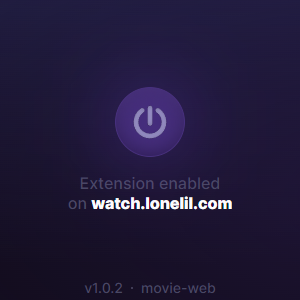
The disallowed status indicates that the extension is not enabled on this page. To enable it, open the extension window and press the power button. Here's a screenshot for your reference:
No Perms#
The noperms status means that the extension does not have the necessary permissions to perform its tasks. To grant the necessary permissions, open the extension window and press the 'Grant Permission' button. Here's a screenshot for your reference:

Outdated#
The outdated status indicates that the version of the extension you are using is too old. You may need to update the extension to the latest version. Please refer to the installation guide for instructions on how to update the extension.